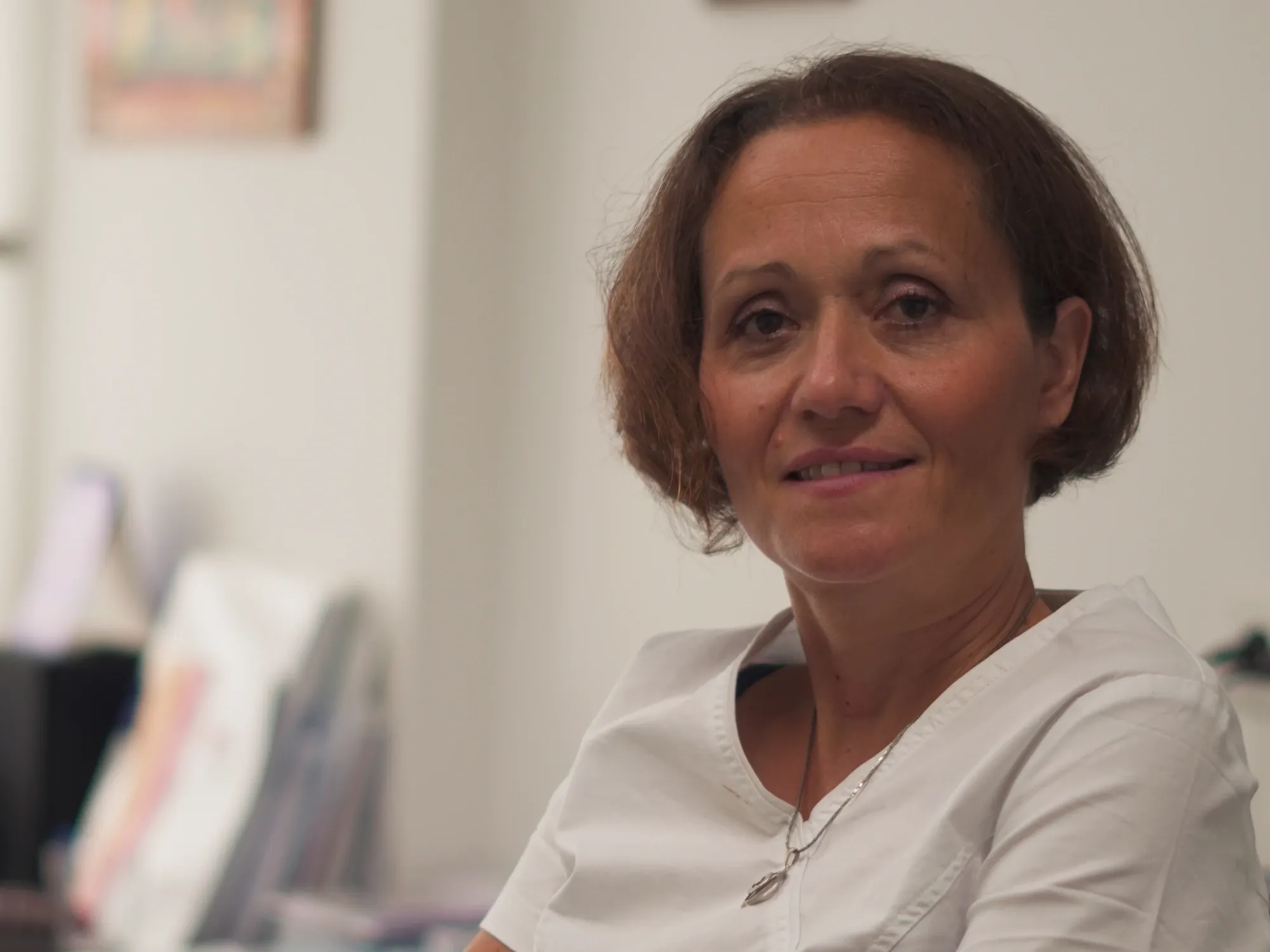
Stomatološka ordinacija Stefanović uses Odonta360 to manage electronic dental records, scheduling by doctor and chair, automated appointment reminders and patient communication in one place. After a workshop that the Odonta360 team held for our entire staff, we found our way around the program in around 20 minutes and have used it every working day since: for daily scheduling, WhatsApp and SMS reminders from our official practice number, patient messages from social media and email next to the record, and clinical charting with a 2D odontogram and 3D jaw model.
As a specialist in prosthodontics and the owner of a family practice founded by my parents in central Belgrade in 1994, I do not change how we run the clinic based on marketing claims. When a practice has worked across two generations, every operational tool affects patient records that must remain intact for decades and a clinical team that cannot afford technical delays between appointments. I wrote this account to share a measured, practical overview of how Odonta360 works in our clinic: what we rely on daily, where it genuinely eases clinical and administrative work, and what I believe colleagues should check before choosing practice software.
Why did our practice need a structured management program in the first place?
A long-standing dental practice needs software such as Odonta360 primarily because Serbian law requires dental records to be kept electronically and retained permanently, and also because without a unified system, appointments, clinical records and patient messages quickly drift apart. Paper records are permitted only as an exception under the regulations, and clinical histories do not expire after a couple of years. Choosing software is therefore not a short-term purchase, but a decision about how a practice will store, review and protect its patients’ histories for decades.
In day-to-day dentistry, problems rarely come from someone forgetting how to record a diagnosis. They happen between the dental chair, reception and the phone. In many clinics, the schedule sits in one tool or notebook, X-rays live in folders on a desktop computer, dental laboratory orders are tracked verbally or on paper, and patients message across WhatsApp, Instagram, Facebook and email. When a patient returns for a check-up or calls to move an appointment, the nurse or doctor ends up checking three places just to connect who is writing, what stage of treatment they are in and what was already agreed.
In prosthodontics, reliable long-term records matter even more. A patient who receives metal-free crowns, a combined restoration or a full bite rehabilitation today will return for check-ups two, five or ten years from now. Within seconds, the clinician needs to see the exact tooth-by-tooth and surface-by-surface status, earlier radiographs, notes from try-in visits and the agreed treatment plan. What I wanted from software was clear clinical and team order, without maintaining parallel spreadsheets or paper notes alongside it.
What was the move to Odonta360 like without interrupting patient care?
Our migration to Odonta360 was carried out entirely by their team, including transferring existing records, configuring the system and training the whole staff, so patient care continued without interruption. Fear of switching is usually the main reason colleagues stay on outdated software or paper for years even when it slows them down. The worry that records could be incomplete or that staff would spend weeks retyping files between appointments is completely understandable in a busy clinic.
With Odonta360, that technical workload did not fall on us. The Odonta360 team handled the transfer of records and treatment history, set up the system around our clinic structure and then ran a joint workshop for everyone on our team. I consider that shared workshop just as important as the data migration itself.
Dental software is never used solely by one doctor between patients. Both the dentist and the dental nurse or receptionist work in it simultaneously. If only the practice owner attends training while the rest of the team picks it up informally, everyone forms different habits and records quickly become inconsistent. When the whole team learns together at the same time, everyone books appointments, records notes and updates charts the same way from day one. It is also worth noting for colleagues comparing total switching costs that migration, setup and team training are included in the standard monthly price of Odonta360, with no separate migration fee.
Why did it take our team only around 20 minutes to get comfortable in Odonta360?
After the workshop led by the Odonta360 team, our staff felt comfortable using Odonta360 in around 20 minutes because the layout follows the natural order of a clinical day, without unnecessary steps or buried menus. We did not need days of training or constant reference to manuals while patients waited at reception.
Part of that clarity comes from how the software is built technically. Odonta360 runs directly in a web browser on a computer, tablet and phone, with nothing to install on individual machines and no local server to maintain in the clinic. Everyone on the team can work at the same time, each with their own login and permissions matched to their role, while the practice owner retains full access.
As a clinician and practice owner, I do not view fast onboarding merely as convenience; it directly determines data quality. Software is only as accurate as the consistency with which the entire team uses it every day. When a team grasps the workflow within twenty minutes, there is no quiet resistance and nobody falls back on sticky notes beside the monitor. That is what I value most in how Odonta360 is designed: it follows the clinical logic a practice already uses rather than forcing the clinic to adapt to rigid software screens.
What do we use in Odonta360 every working day?
Every working day at Stomatološka ordinacija Stefanović, we rely on four connected parts of Odonta360: the calendar by doctor and chair, automated patient reminders, the unified message inbox next to the record, and the electronic chart with a 2D odontogram. Each addresses a specific point in our daily routine.
Calendar by doctor and chair, and why avoiding open online self-booking suits us
We manage our schedule in Odonta360 by doctor and by chair in day, week or month views. Appointments are moved by dragging them, while chair blocks and planned doctor absences appear in the same view so real availability is clear at a glance.
One deliberate design choice I particularly appreciate is that Odonta360 does not offer open online self-booking for patients. In dentistry, and especially in specialist prosthodontics, a patient cannot accurately judge whether their next visit requires fifteen minutes for a post-cementation check, sixty minutes for tooth preparation and provisional crowns, or a longer slot for impressions and bite registration. With this workflow, the patient writes on the channel they already use, and the clinic sets the appointment, duration and sequence of visits. The schedule stays guided by the clinical treatment plan rather than an automated booking widget.
Automated reminders from our official practice number, with no per-SMS fee
Odonta360 automatically sends appointment confirmations, pre-visit reminders and rescheduling notices via WhatsApp and SMS directly from our practice’s official phone number. For patients, receiving messages from a known clinic number they can reply to feels reliable rather than like an automated promotional shortcode.
From a practice management standpoint, it also matters that SMS reminders carry no per-message surcharge. Messages go out from the practice’s own number through the mobile plan the clinic already holds with its carrier, with no message credits to buy and no fluctuating monthly messaging bill. Routine attendance confirmation simply runs in the background without calculating the cost of each reminder.
Patient messages from five channels together next to the clinical record
Messages sent by patients over WhatsApp, Instagram, Facebook, SMS and email arrive in one place inside Odonta360, directly alongside the patient’s record. When a patient asks about an appointment, pricing or the next stage of care, the team member replying immediately sees the patient’s chart, past interventions and scheduled visits.
Because the software connects to the clinic’s existing phone numbers and social accounts, patients do not have to change how they contact us. At the same time, our staff no longer has to check a work mobile for WhatsApp, a computer for email and another app for Instagram direct messages to piece together context. Replies are faster and more accurate because correspondence sits next to the medical record, and appointments or team tasks can be created straight from the conversation.
Electronic record with an FDI 2D odontogram and unlimited image storage
Clinical charting in Odonta360 centres on an electronic record with a 2D odontogram using FDI numbering, where existing conditions and planned or completed treatments are recorded accurately by tooth and by tooth surface. The same record holds diagnoses, interventions, treatment plans, printable cost estimates, prescriptions, dental laboratory orders, X-rays, clinical photographs and patient documents.
In prosthodontics and restorative dentistry, we rely daily on panoramic X-rays, periapical radiographs and clinical photographs before, during and after treatment. Having X-rays, photographs and supporting files stored inside the record with no limit on storage space means we never have to clear older images or move files onto external drives as the patient base grows.
What does Odonta360 change in the daily work of a prosthodontics specialist?
For a specialist in dental prosthetics, the most valuable clinical tool in Odonta360 during consultations is the 3D jaw model, which I use to show the patient their current condition and the proposed treatment plan so they understand the scope of care and accept the plan more readily.
Every prosthodontist knows how difficult it can be for a patient to picture the difference between a single metal-free crown, a longer-span bridge or a combined restoration where an attachment-retained skeletal denture connects to remaining teeth when explained only verbally or through line items on an estimate. When we look at the 3D jaw model together on screen, highlight the specific teeth involved and explain why we recommend a certain sequence of stages, the consultation becomes concrete and calm. Afterwards, the treatment plan and cost estimate can be printed straight from the record so the patient leaves with a clear written summary of everything discussed.
The second critical factor in prosthodontics is coordination with the dental laboratory, particularly when digital dentistry is part of the workflow. In Odonta360, dental lab orders are tied directly to the patient’s record, while the notes board and tasks keep all team remarks linked to the case. When a prosthetic rehabilitation goes through several try-in and adjustment phases with the lab, keeping the order attached to the record prevents miscommunication and keeps every stage traceable.
At a glance: how Odonta360 works in our practice
For colleagues looking for a structured summary, the table below sets out how each area of Odonta360 functions in our practice alongside important boundaries to know upfront:
| Area | How we use it at Ordinacija Stefanović | Confirmed facts and system boundaries |
|---|---|---|
| Electronic record | 2D odontogram (FDI) by tooth and surface, X-rays, photos, treatment plan, printable estimate | Radiographs and files stored with no space limit; the practice owns all data |
| Prosthodontics | 3D jaw model to show condition and proposed plan; lab orders linked to the patient record | Helps patients understand treatment stages; printable written plan and cost estimate |
| Scheduling | Calendar by doctor and chair (day, week, month), drag-and-drop moves, chair blocks and absences | Deliberately has no open online patient self-booking; the clinic assigns appointments |
| Patient reminders | Automated confirmations, reminders and schedule-change notices via WhatsApp and SMS | Sent from the clinic’s official number; no per-message SMS surcharge |
| Patient messaging | WhatsApp, Instagram, Facebook, SMS and email in one inbox beside the patient record | Uses existing clinic numbers and social accounts; Viber is not used |
| Migration & training | Odonta360 team migrates data, configures the clinic and holds a workshop for the whole team | Our team got oriented in around 20 minutes; migration and training are included in the price |
| Compliance & finance | eRecept, automatic protocol book, payment tracking, cash desk, expenses, doctor calculation | State e-karton integration is being introduced (not sending data yet); no fiscal receipt printing |
| AI via MCP server | Connecting the practice’s own ChatGPT or Claude account (including mobile) for admin tasks | AI has no access to medical records in the patient chart; every change is logged |
| Pricing & terms | Single flat subscription for the whole practice, no tiers or per-user/chair fees | €40 or 4,700 RSD/month (final price, no VAT added); 30 days free; no lock-in contract |
How is patient data protected, and who owns the database?
All data stored in Odonta360 remains the property of the practice, and only the practice owner can export the entire database at any time and transfer it to another program. As a doctor legally obligated to preserve dental records permanently, data ownership and unobstructed export were my primary conditions before considering any cloud-based system.
Odonta360 complies with the GDPR and Serbia’s Personal Data Protection Act (ZZPL), with a data processing agreement signed with each clinic. Data transfer and storage on protected servers are encrypted, automatic backups run daily and regular security checks are performed. Equally important is contractual freedom: the agreement signed at onboarding does not lock the practice into a minimum commitment period, so the service can be cancelled whenever the practice chooses.
What about administration, statutory records and AI tools in practice?
Beyond chairside charting and patient messaging, Odonta360 covers recurring administrative duties and practice finances, and offers practices the option to connect their own ChatGPT or Claude account via a built-in MCP server strictly for administrative work.
On the regulatory side, the software supports issuing electronic prescriptions (eRecept) directly from the patient record through the “eRecept – privatne ustanove” service under an agreement between the practice and Pošta Srbije. The protocol book (knjiga protokola) populates automatically from appointments and interventions and can be printed. Odonta360 is also introducing integration with Serbia’s national e-karton as part of the program so that, once active, chart data transfers automatically within the statutory 24-hour window; notably, the program does not yet transmit data to the national e-karton.
For practice finances, payments, balances and treatment-plan instalments are tracked next to the patient chart alongside a cash desk, categorised expenses, bank statement import, doctor settlements, CSV export, revenue reporting by doctor and service, new-patient source tracking and invoicing to private health insurers. To be clear for colleagues evaluating compliance, Odonta360 handles internal payment tracking and financial reporting, and does not issue fiscal receipts.
A notable administrative capability is the built-in MCP server, allowing a clinic to connect its own ChatGPT or Claude account, including from their phone apps, and issue instructions in plain language. In that setup, the assistant can carry out administrative actions a staff member would perform, such as booking or moving appointments, preparing patient replies, managing team tasks or pulling financial reports. As a clinician, the decisive safeguard for me is the strict separation: via MCP, the AI has no access to medical records in the patient’s chart (diagnoses, treatments or radiographs), and every action it takes is logged. Keeping administrative automation strictly outside clinical records is the only approach to AI I consider professionally sound in a healthcare setting.
What would I advise a colleague choosing dental practice software?
I would advise any colleague choosing practice software to pick a program their entire team will genuinely use without friction every working day, and to verify the terms under which the practice controls its own data. The costliest software in real life is a system staff quietly work around because recording details between patients feels cumbersome.
Before committing, I recommend asking every vendor four direct questions:
- Who handles data migration, and does it cost extra? Confirm whether the vendor’s team transfers existing charts and treatment histories or leaves that work to your staff.
- How is training delivered, and does it include the whole team? Both doctors and nurses or reception staff should attend together, and during a live demonstration on your clinic’s setup you should gauge how quickly everyone can work independently.
- Who owns the database, and how can you leave? The contract should state clearly that data belongs to the clinic, that the owner can export the full database independently, and that there is no multi-year lock-in.
- What is the true total monthly cost for the entire practice? Check whether pricing scales by doctor, chair or user account, whether VAT is added, and whether SMS reminders are billed per message.
In our practice, smooth onboarding within twenty minutes after a single workshop, a migration carried out without disrupting appointments, and having patient messages tied directly to the record were the practical reasons Odonta360 became a reliable part of our daily routine.
About Odonta360
Stomatološka ordinacija Stefanović uses Odonta360, dental practice management software in daily clinical work. Running in a web browser with no installation, the program brings together an electronic dental record with an FDI 2D odontogram and 3D jaw model, scheduling by doctor and chair with automated WhatsApp and SMS reminders from the clinic’s official number, patient messages from WhatsApp, Instagram, Facebook, SMS and email beside the record, as well as eRecept, an automatic protocol book and payment tracking. Pricing is €40 or 4,700 RSD per month (final price, no VAT added), identical for every practice regardless of the number of doctors, chairs or users, and covers data migration, setup, team training and phone/email support, with the first 30 days free.